Welcome to the Uni Stuttgart!
We make your transition into university life as smooth as possible. Here you will find all the important information, prep courses, dates, and tips from the Computer Science student group (FIUS).
Quick Info & Support
arnis.myszkier@fius.de
sofiia.sierikova@fius.de
Your First Checklist
What needs to be done before your studies and in the first few days? Just tick off the tasks, your progress is automatically saved in your browser.
- Accept Study Place & Enroll (not the same thing!)
Watch out, the most common trap: accepting your study place and enrolling (Immatrikulation) are two separate steps! Just because you accepted the offer in C@MPUS does not mean you are enrolled. To enroll, you must additionally transfer the semester fee and submit all required documents (e.g. proof of health insurance). Only once that is done and the payment is processed will you be enrolled and receive access to the online portals and your student ID card.
- Log in to C@MPUS & switch to the student view
C@MPUS is the central portal for lectures, examinations, and grades. You already have access from your application – just log in with your existing credentials. Important: after enrolling, switch from the applicant view to the student view in the top right of C@MPUS – otherwise you won’t find your lectures and exams. Go to C@MPUS
- Set up Uni Mail Forwarding
Your TIK account (e.g. st123456) is created automatically when you enroll – you don’t have to set it up yourself. It provides access to the university Wi-Fi (Eduroam), computer pools, and your university email. The main thing to do: set up mail forwarding so you don’t miss important updates. Helpful setup apps are: geteduroam App (Win/Android/iOS) or the eduroam Profil (macOS/Linux).
- Test ILIAS Account
ILIAS is the learning platform containing lecture notes, exercise sheets, and videos. Once your TIK account is active, log in and join your courses via the links in C@MPUS. Go to ILIAS
- Mark ESE Week in Your Calendar
The introduction week (ESE) runs from Sept 28 to Oct 9. The How-To lecture is the single most important event of the whole week – we explain your schedule, exam regulations, and how to get off to a good start. Make sure to mark it in your calendar: Bachelor on Monday, Sept 28 at 3:00 PM, Master on Tuesday, Oct 6 at 3:00 PM, both in the Computer Science building. No sign-up needed – if you only do one thing from this list, make it this (besides enrolling)!
- Upload Your Photo for the Student ID (US-Card)
The only thing you actively need to do: upload a photo in C@MPUS. Your card is then printed automatically and usually sent to you shortly after the enrollment deadline – you don’t need to pick it up. Once you have it, you can activate it for Mensa payments. (It is also worth downloading and printing your ECUS from C@MPUS, as this is needed from time to time.)
- Join the Telegram Groups
Join the various university Telegram groups. The links are sent to you by email from Katrin Schneider – or just drop by our student lounge and ask us to add you.
Laptop Advice for Freshmen
You don’t need a supercomputer for computer science studies. However, a reliable laptop is essential for programming tasks, exercises, and lectures. While fixed computer labs are available on campus, having your own laptop is highly practical.
Important tip: Docking stations are available in the GS-Pool of the Computer Science building (V.38). Your laptop should therefore be capable of outputting video signals (DisplayPort) over USB-C to easily connect. There are no rules regarding operating systems (Windows, macOS, Linux) – choose what works best for you.
Recommended Minimum Specs
- RAM 8 GB (16 GB Recommended)
- Processor (CPU) Intel Core i5 / AMD Ryzen 5 / Apple M1 or newer
- Storage (SSD) 256 GB (512 GB Recommended)
- Ports USB-C with DisplayPort / Alternate Mode
- iPad / Tablet Great for taking notes, but not suitable as a primary device for coding!
Insights into Uni Life
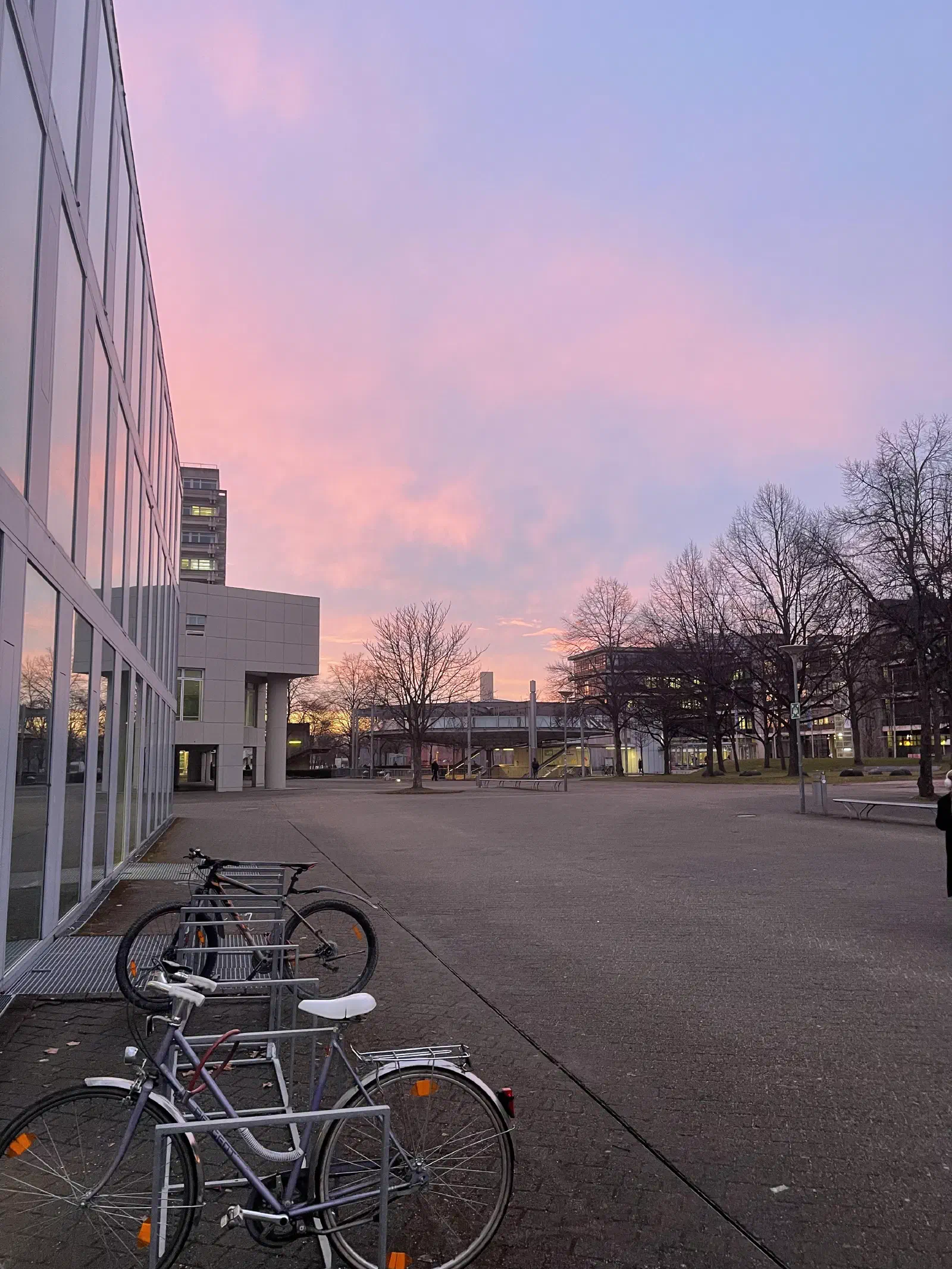
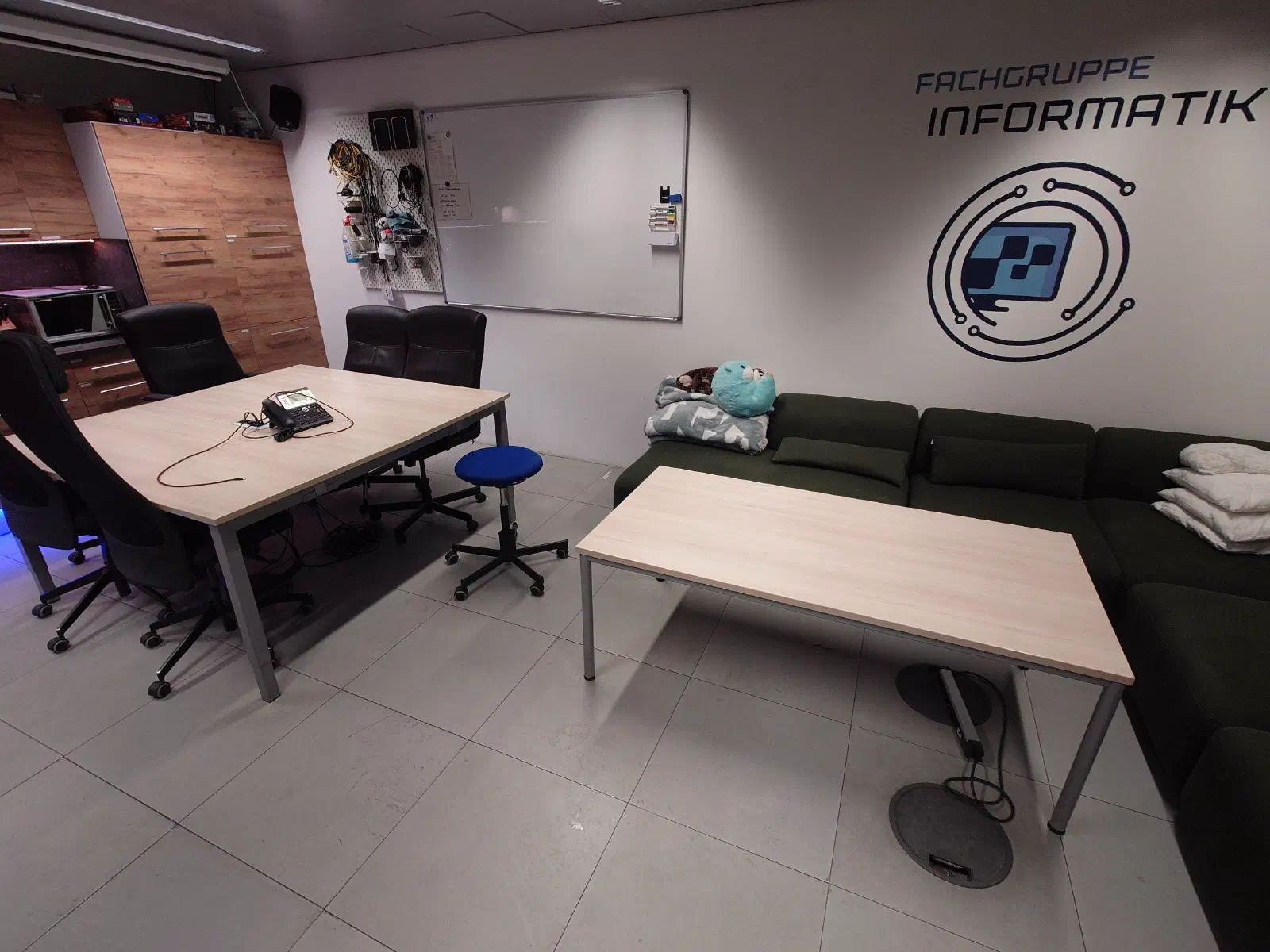
What it looks like here: impressions of the student group, our rooms, and events.
ESE Introduction Week Schedule 2026
Our Freshers’ Week (ESE) is packed with information sessions, campus tours, and social events. Click here to register
Monday, 28 September: Bachelor Kick-off
MondayWelcome & Introduction
The official welcome for all new Bachelor’s students in the Computer Science Building.
How-To Study Sessions (Bachelor)
The most important information session for Bachelor’s students. We explain your timetable, examination regulations, and how to get off to a good start at university.
Bachelor BBQ with Flunkyball, Beer Pong, etc.
The Bachelor BBQ is one of our biggest ESE events, where you can enjoy a BBQ, play Flunkyball, Beer Pong, and more, while meeting lots of new people. Definitely an event you don’t want to miss!
Tuesday, 29 September: LDS Prep Course and Ladies Night
TuesdayLDS Prep Course (Day 1)
The preparatory course for Theoretical Computer Science begins. Day 1 covers set theory, propositional logic, and the fundamentals of proof writing.
Ladies Night
Ladies Night is an evening especially for all female IT freshmen. It’s a great opportunity to meet each other, chat, and spend a fun and relaxed evening together!
Wednesday, 30 September: LDS Prep Course
WednesdayLDS Prep Course (Day 2)
Day 2 of the preparatory course for LDS focuses on proof techniques and proofs involving sets.
Thursday, 1 October: Game Night
ThursdayLDS Prep Course (Day 3)
The third day of the preparatory course covers mathematical induction, predicate logic, and modular arithmetic.
Game Night
At Game Night, you can play a variety of board, card, and party games, meet new people, and enjoy a relaxed evening together.
Friday, 2 October: LDS Prep Course
FridayLDS Prep Course (Day 4)
The final day of the preparatory course covers mathematical induction, predicate logic, and modular arithmetic.
Monday, 5 October: Start of ESE Main Week
MondayAvete Academici
The official welcome ceremony of the University of Stuttgart for all first-year students.
PSE Prep Course (Day 1)
The programming preparatory course begins. Together, we install the required tools, including Java and an IDE, and write our first lines of code.
Karaoke Night
At Karaoke Night, you can sing your favorite songs together, meet new people, and enjoy a fun and relaxed evening. Whether you’re on stage or cheering from the audience – come by and have a great time!
Tuesday, 6 October: Master How-Tos & BBQ
TuesdayCampus Tour
We will guide you across the campus and show you where to find everything. This includes dormitories, various university buildings, the cafeteria, cafes, and bars.
PSE Prep Course (Day 2)
Day 2 of the programming preparatory course covers variables, data types, and control structures in Java.
Master How-To
The How-To Study session for all new Master’s students in Computer Science, Software Engineering, and Artificial Intelligence and Data Science.
Master’s BBQ
A relaxed welcome barbecue for all new Master’s students to meet and get to know each other.
Wednesday, 7 October: Campus Rally, PSE Prep Course
WednesdayCampus Rally
During the Campus Rally, you can solve tricky tasks in small teams, collect fun facts, and get to know the most important places from the inside. There is also a prize for the winning team!
PSE Prep Course (Day 3)
Day 3 of the programming preparatory course covers loops, arrays, and solving the first more complex problems.
Laser Tag
During laser tag, you will compete against each other in teams and enjoy an action-packed evening together. It’s the perfect opportunity to meet new people and have fun together! Participation costs 10€ and advance registration is required.
Thursday, 8 October: PSE Prep Course, Pub Crawl
ThursdayPool introduction
PSE Prep Course (Day 4)
Day 4 of the programming preparatory course covers classes, objects, and an introduction to object-oriented programming (OOP).
Pub Crawl
During our Pub Crawl, we’ll visit different bars and pubs around Stuttgart together. It’s the perfect opportunity to meet new people, grab some drinks, and enjoy a fun evening!
Friday, 9 October: Final Day & UNO Party
FridayPSE Prep Course (Day 5)
The final day of the programming preparatory course features an exciting final project and an outlook on the degree programme.
UNO Party
The legendary UNO Party with great music and drinks.
Sunday, 11 October: Stutti-Studi-Tour
SundayStutti-Studi-Tour
During the Stutti-Studi-Tour, we’ll explore Stuttgart together and show you some of the city’s most important and interesting places. The tour is especially aimed at everyone who is new to Stuttgart and wants to get to know their new student city better.
Wednesday, October 14: Bouldering
WednesdayBouldering
We are going bouldering together. Whether beginner or pro: Come along and take the opportunity to make new contacts outside of lectures!
Prep Courses (Vorkurse)
Which prep courses are there, when do they take place, and who should attend them? Here is the comparison.
PSE Prep Course (FIUS)
Our student-organised programming preparatory course. We teach you the fundamentals of Java – the programming language you will use extensively during your first semester in ‘Programming and Software Development’ (PSE). Perfect for beginners with no previous experience!
LDS Prep Course (FIUS)
A gentle introduction to mathematical thinking and logic for computer scientists. It prepares you for the lecture ‘Logic and Discrete Structures’ (LDS). We practise formal notation and logical proofs in a relaxed environment.
MINT-Kolleg Prep Courses
The university’s official preparatory courses for mathematics, physics, and computer science. The mathematics and Java preparatory courses are particularly useful for refreshing your school knowledge and gaining initial experience with university-level material.
Please note: Since Mathematics 1 for Computer Science degree programmes is now scheduled for the second semester, you will not need the mathematics course directly during your first semester. However, it can still be useful as preparation for the following semester or as general revision.
Frequently Asked Questions (FAQs)
We gathered the most common questions that freshmen ask us every semester, sorted by phase.
Phase 1: Course Selection & Orientation
I'm thinking of studying here. What is student life at Uni Stuttgart like?
Uni Stuttgart – especially at Campus Vaihingen – has a very active student community. The Computer Science student group (FIUS) has a dedicated room (0.001) with a comfy sofa and always someone around to answer questions. As a university, the program is fairly theory-focused, but there’s plenty going on beyond lectures: as a city, Stuttgart has a lot to offer – from uni parties and beach events to a lively student scene where you quickly find your crowd on the large campus.
Is the computer science program really as hard as they say?
The program is challenging, especially in the first few semesters and particularly in the theoretical courses. However, it is absolutely doable! The key to success is studying in groups. Visit the student lounge, ask senior students for advice, use exam archives, and attend office hours. You are not alone!
Which program fits me – Computer Science, Software Engineering, Media Informatics, or AI & Data Science?
In the first semesters, all programs share many fundamentals (programming, math, theory). The differences are mainly in the mandatory core and in how many free elective ECTS you have.
- Computer Science (Inf) is the broadest and leaves you the most free elective ECTS – you can shape your own profile the most.
- Software Engineering (SE) focuses on systematically building large software systems, project management, and teamwork – with a large team software project as a highlight.
- Media Informatics (MI) combines computer science with design and human-computer interaction.
- AI & Data Science focuses on data analysis, machine learning, and artificial intelligence.
Important: you can take modules on data modeling, software development, and programming projects in almost any program via electives and application subjects – Computer Science just gives you the most free elective ECTS to do so. So choose mainly based on the mandatory focus that appeals to you most.
Phase 2: After Enrollment / Before Semester Start
I received the prep course email. What do I need to do now?
You don’t need to do anything immediately. Many freshmen get overwhelmed by pre-semester emails. The prep courses are optional. For FIUS courses (PSE and LDS), you do not need to register weeks in advance. Just attend the ‘How-To Study’ lecture on the first day of ESE week, where we explain everything step-by-step.
I accepted my study place offer – do I still need to do anything?
Yes, absolutely! Just accepting your offer in C@MPUS is not enough. You must transfer the semester fee and submit all required papers (like health insurance proof). Only fully enrolled students get their TIK accounts activated to access ILIAS and Uni mail. Do this as early as possible!
Will my old 4GB RAM laptop do, or do I need to buy an expensive new one?
A 4GB RAM laptop (a ‘potato’) will struggle with modern IDEs and compilers. We recommend at least 8GB RAM, ideally 16GB. You don’t need a €1300 machine – a solid used office laptop is fine.
An iPad alone is not enough because you must run desktop programming software.
Is there a transit semester ticket for public transport?
There is no physical paper semester ticket. As a student up to 27 years old, you can purchase the Deutschlandticket JugendBW (which does not require the student union solidarity fee contribution) from SSB or other transit authorities. If you are older than 27, you must buy the standard Deutschlandticket or other standard fare options.
Phase 3: Intro Week & Semester Start
I can't make it to ESE week or need to cancel an event. What should I do?
You don’t need to sign out of general ESE events (lectures, tours) as they don’t require registration. However, if you signed up for a limited-capacity event like the Freshman Cabin Trip (Ersti-Hütte) and cannot make it, please email us immediately at fs@fius.de so we can offer your spot to someone on the waiting list.
Is the FIUS programming prep course (PSE) worth it if I did the MINT course?
Yes, absolutely! The MINT course is general. Our PSE course is run by experienced CS students and prepares you directly for Java and the specific ‘Programming and Software Development’ curriculum in our degree program. Even with MINT background, it’s highly recommended.
How do I get into the computer science building in the evening or at the weekend?
With your electronic student card (ecus). As a computer science student with an account in the central pools (GS-Pool, HS-Pool) it gives you round-the-clock access to the building, the pools and the work rooms automatically — there is nothing extra to apply for. How to activate the card, what to do when a door won’t open, and which rules come with 24/7 access is all on our Building Access page.
Math is in the 2nd semester now. Should I still go to the MINT math prep course?
Yes, it can be very useful to bridge the gap from school math to university math early. The shift is significant. If you want to refresh your math skills, attend the MINT-Kolleg course in September to keep your skills fresh.
Downloads & Documents
Here you can find all the slide decks, exam regulations, and handout documents available for download.
| Study Program | How-To Slides | Exam Regulations |
|---|---|---|
| B.Sc. Computer Science | ||
| B.Sc. Software Engineering | ||
| B.Sc. Media Informatics | ||
| B.Sc. Data Science & AI | ||
| B.Sc. Informatics (Teacher Education) | ||
| M.Sc. Computer Science / Software Eng. / AI |
Come by anytime
Got questions or unsure about something? Just drop by our student lounge (0.001) – we're always happy to help!